


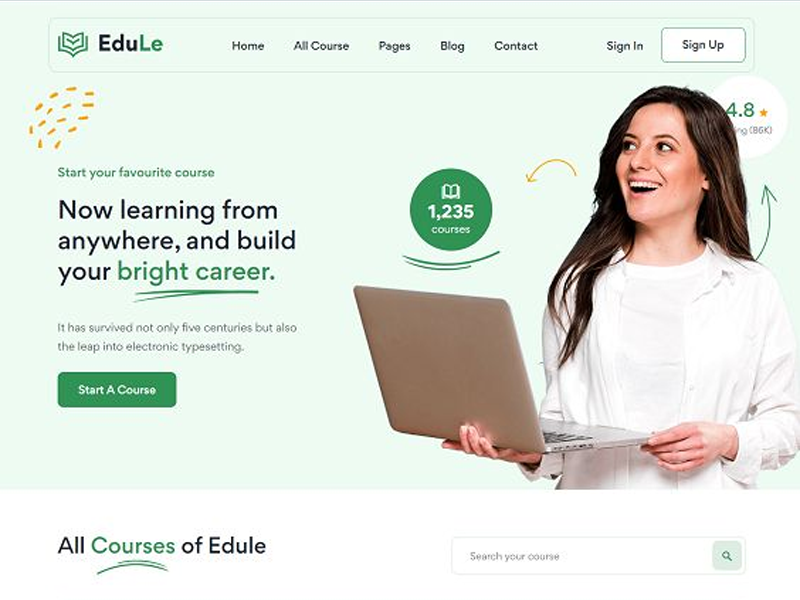
In today’s digital world, first impressions are everything. Whether you’re launching a website, developing an app, or designing software, how users interact with your product can make or break its success. This is where UI (User Interface) and UX (User Experience) design come in.
Despite often being used together, UI and UX are not the same thing—but they work hand-in-hand to create engaging, functional, and satisfying digital experiences.
🔍 What is UI Design?
UI Design refers to the visual layout of a product. It focuses on how things look—the colors, typography, spacing, icons, buttons, and other graphical elements that users interact with.
Think of UI as the aesthetic and interactive layer of your product. A good UI is intuitive, visually appealing, and consistent.
Key Elements of UI Design:
Color schemes
Fonts and typography
Buttons and icons
Layout and spacing
Responsive design for different devices
🧠 What is UX Design?
UX Design is all about the overall experience a user has when interacting with your product. It’s focused on functionality, usability, and user satisfaction. UX designers aim to solve problems and create journeys that feel natural and efficient for the user.
Think of UX as the strategy and structure behind the scenes. A good UX is logical, user-friendly, and purposeful.
Key Elements of UX Design:
User research
Wireframing and prototyping
Information architecture
User testing and feedback
Interaction design
🎯 UI vs UX: What’s the Difference?
| Aspect | UI (User Interface) | UX (User Experience) |
|---|---|---|
| Focus | Look and feel | User journey and experience |
| Concerned With | Visual elements | Problem-solving and usability |
| Tools Used | Figma, Adobe XD, Sketch | Figma, UXPin, Balsamiq |
| End Goal | Attractive interface | Efficient, enjoyable experience |
While UI focuses on appearance, UX ensures functionality. A beautiful app (great UI) can still frustrate users if it’s hard to navigate (poor UX).
🛠️ Tools for UI/UX Designers
Here are some popular tools UI/UX designers use:
Figma – Collaborative design and prototyping tool
Adobe XD – For wireframing, UI design, and prototyping
Sketch – Vector-based design tool for Mac users
InVision – Prototyping and user testing platform
Miro – For mapping user journeys and brainstorming ideas
💡 Tips for Great UI/UX Design
Keep it simple. Don’t overwhelm users with too much at once.
Design with the user in mind. Always consider their needs, goals, and pain points.
Be consistent. Use familiar patterns and maintain visual consistency.
Focus on accessibility. Make sure your design works for all users, including those with disabilities.
Test early and often. Gather user feedback and iterate regularly.
📈 Why UI/UX Matters for Business
Good UI/UX design can directly impact your business by:
Increasing conversion rates
Reducing bounce rates
Improving customer satisfaction
Encouraging brand loyalty
Lowering support costs
Investing in UI/UX is not just a design decision—it’s a business strategy.